Enter the type of space and room size and choose the luminaire groups you will use. The quantity of each group is calculated with the product's real power and lumen data, and all are shown together in 3D. To work with a single product group, choose a tab above.
1. Space and dimensions
2. Luminaire groups
Columns3Rows3= 9 · 324 W
Columns3Rows3= 9 · 135 W
The share is the part of the space's illuminance target provided by this group; shares need not add up to 100 (extra share can be given for accent light).
Drag luminaires (and tracks for track spots) on the plan view to move them.
Quantities are calculated from the illuminance target of the space type (EN 12464-1), the group shares and the products' power and lumen data. This is a preliminary design; we prepare a DIALux design for the final layout.
How is it calculated?
Choosing the type of space fills in the EN 12464-1 illuminance target and maintenance factor.
The lumen method is applied with the product's power and lumen data, the room size and ceiling height; the quantity is laid out evenly in columns × rows.
With automatic power, the variant that keeps the spacing best suited to the mounting height is chosen. You can change the power and the layout yourself.
The result is a preliminary design; we prepare a DIALux design for the final layout and light distribution.
Frequently asked questions
How are different luminaires calculated in one room?
+
The space's illuminance target is shared between the groups: e.g. in a meeting room 70% of the general light from LED panels and 30% from downlights. Each group's quantity is calculated from its share; shares above 100 in total can be used for accent light.
Is the quantity final?
+
It is a preliminary estimate. The lumen method gives the average illuminance; the exact distribution with furniture, columns and windows is confirmed in a DIALux calculation.
How do I request a quote?
+
Send the result by e-mail with the form on the page, or send the bill of materials as a WhatsApp message.

 Columns3Rows3= 9 · 324 W
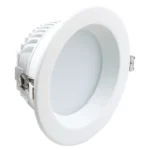 Columns3Rows3= 9 · 135 W